Bilenay Reader
A downloadable reading app for Windows, macOS, and Linux
Read, annotate, and stay focused.
Bilenay Reader is a calm desktop reading app for EPUB and PDF files. It brings your personal library, notes, highlights, bookmarks, translation tools, reading activity, and a focus timer together in one quiet reading workspace — no accounts, no clutter, everything stored locally on your computer.
Your library
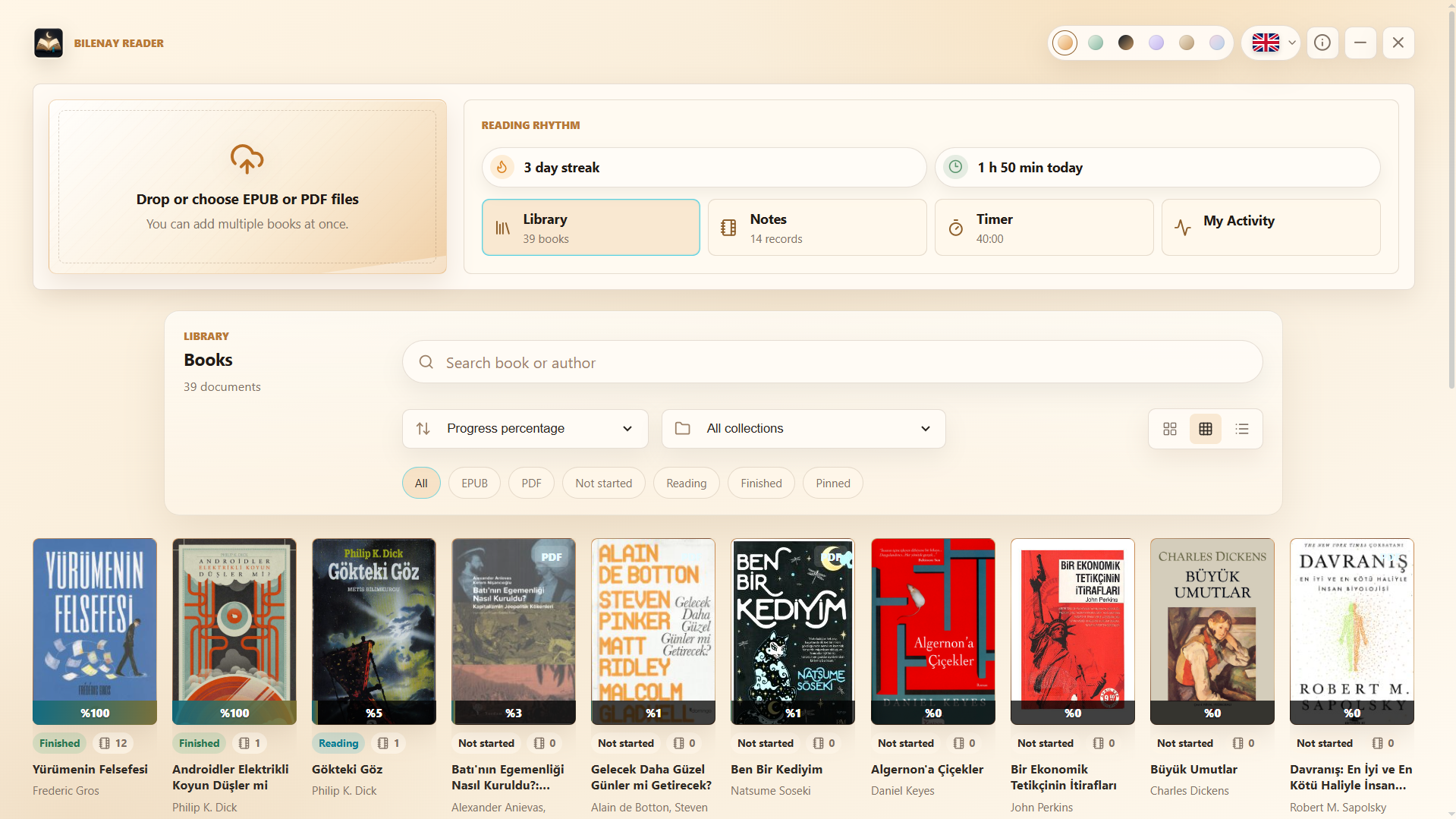
- Import EPUB and PDF files — add multiple books at once by selecting or dropping them into the app.
- Browse your books with their covers on a tidy library screen.
- Search by title, author, or collection.
- Filter by all books, pinned books, EPUB, PDF, or collection.
- Sort by recently added, title, author, reading progress, or status.
- Pin your current reads to keep them on top.
- Organize books into custom collections such as novels, study, research, or work.
- Edit title, author, reading status, collection, and cover information.
- Enter manual page/progress information for PDF books.
- Choose from different library background themes.
EPUB reading
- Table of contents with chapter navigation.
- Automatic reading-progress tracking that remembers where you left off.
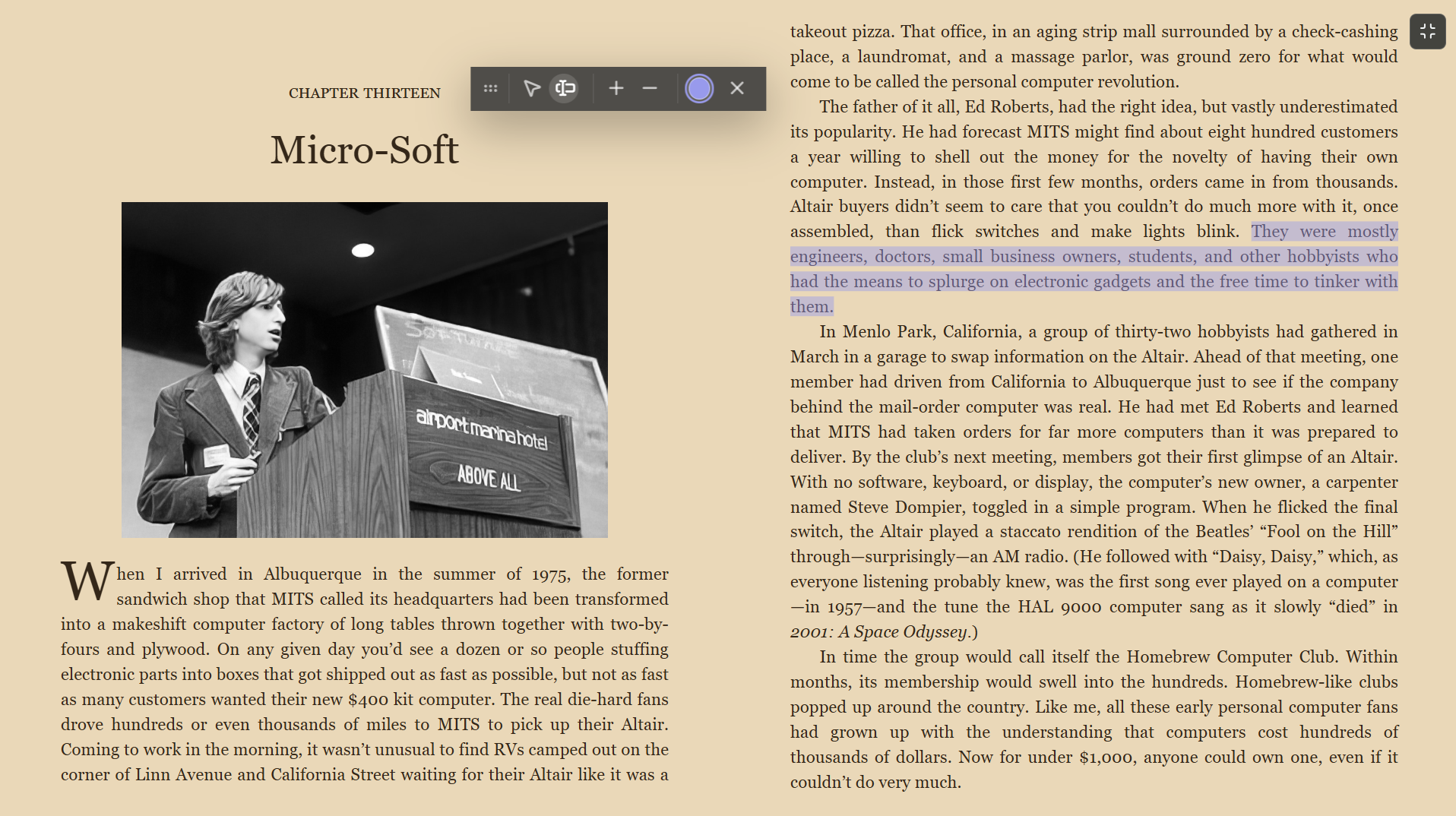
- Keyboard page turning and a two-column reading view.
- Typography controls: font size, font family, line height, and page width.
- Reader themes: Night, Paper, Slate, Sepia, Forest, and a high-contrast mode.
PDF reading
- Built-in PDF viewer with single-page, double-page, and flow-style viewing modes.
- Fit-width, fit-page, and free zoom with an adjustable zoom range.
- Brightness, contrast, and sepia adjustments for comfortable long sessions.
- Search inside the PDF.
Notes, highlights, and bookmarks
- Select text to save it as a note, copy it, highlight it, or translate it.
- Create colored highlights and attach your own comments to passages.
- Jump back to your notes and highlights from inside the book.
- Add bookmarks for important reading positions.
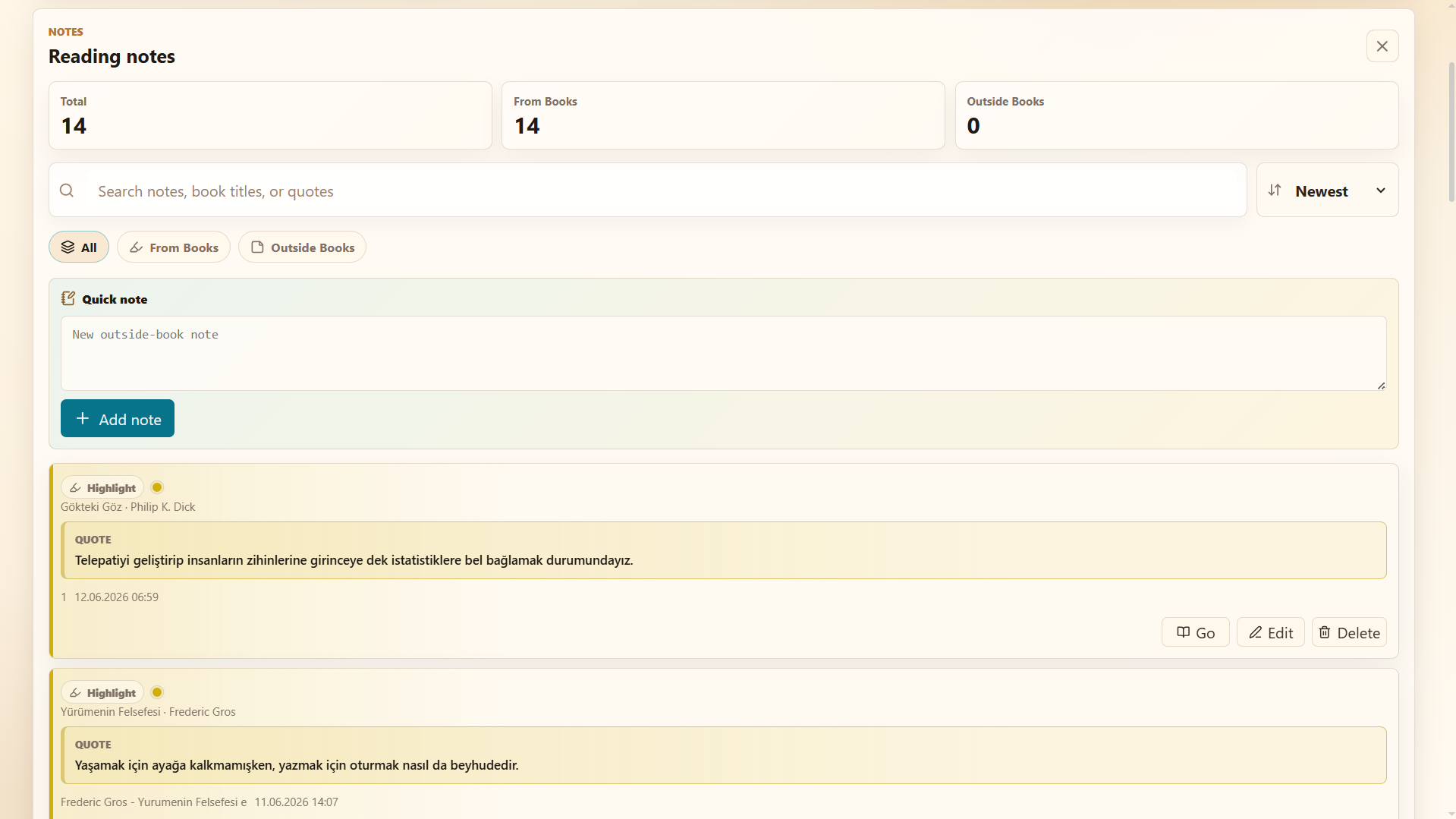
- Create free notes that are not attached to any book.
- Browse every note and highlight from one library-wide notes screen.
- Search across note text, book titles, and quoted passages.
- Sort notes by newest, oldest, or book; filter book notes and free notes.
- Edit, format (bold, italic, lists), and delete notes.
Translation
Translate selected text without leaving the app. Target languages: Turkish, English, German, French, Russian, and Chinese. Translation is the only feature that requires an internet connection.
Reading activity
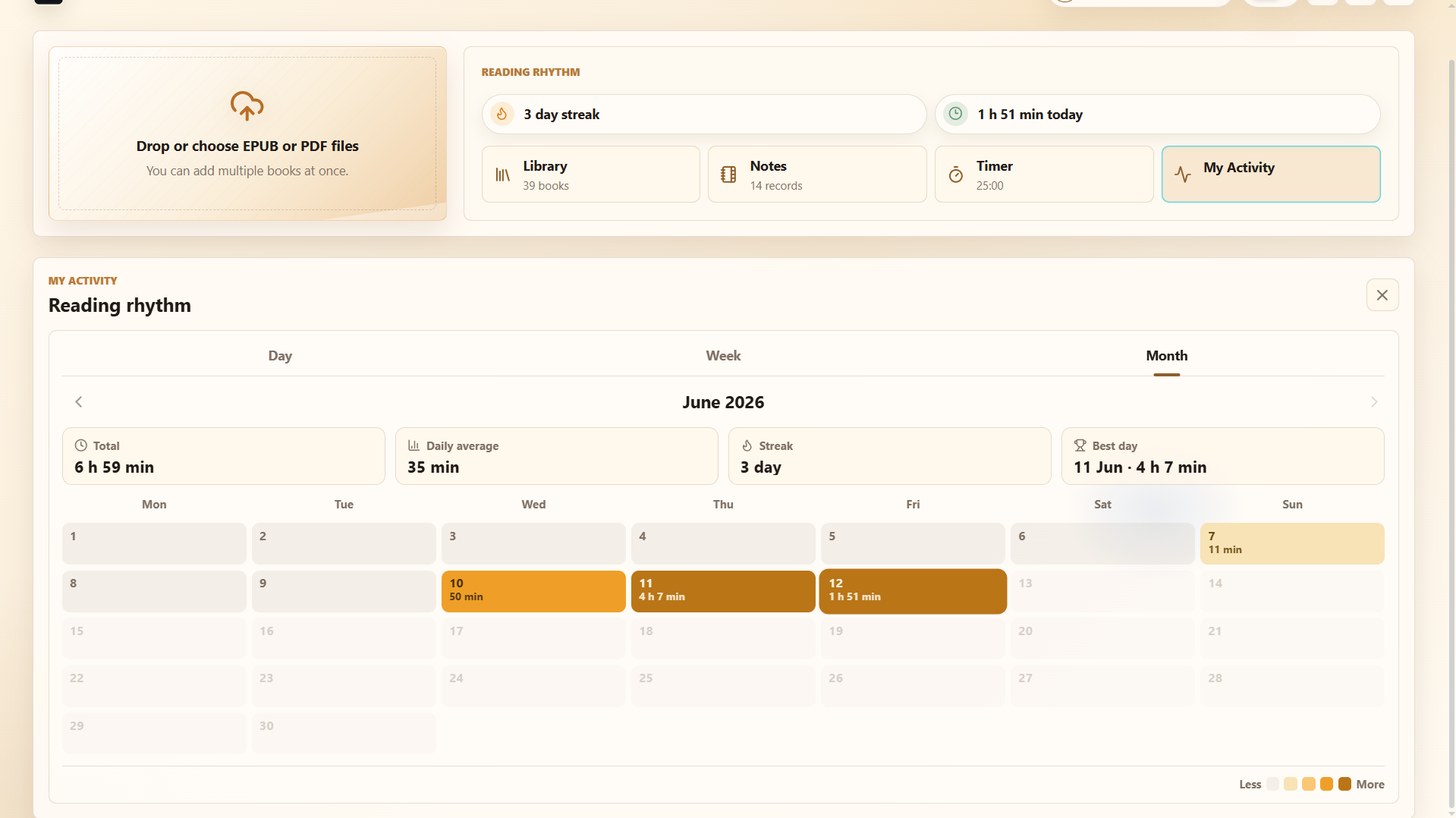
- Today's reading time and daily streak.
- Activity heatmap with daily, weekly, and monthly views.
- Total period time, average reading time, and reading-time distribution.
Focus timer
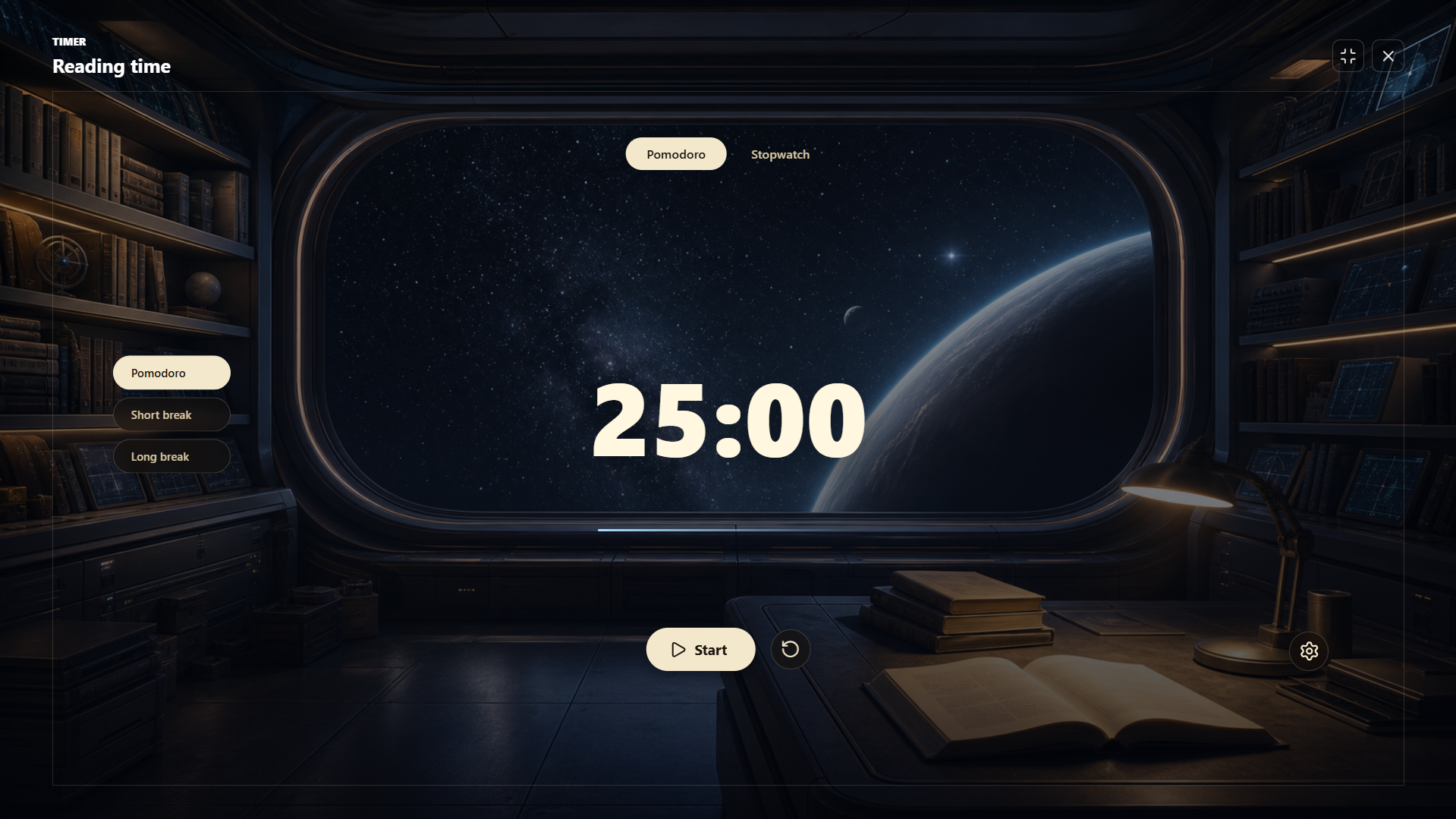
- Pomodoro, short break, long break, and stopwatch modes with adjustable durations.
- Ring and minimal counter styles, plus a fullscreen timer view.
- Alarm sounds: school bell, meditation bell, digital alarm, kitchen timer, and a small melody.
- 24 atmospheric timer themes, including Dark Academia, Rainy Window, Moon Library, Cozy Fireplace, Old Bookshop, Snowy Cabin, Quiet Museum, Wizard Study Hall, Space Archive, Detective Noir Office, Gothic Castle Reading Room, Dream Train Compartment, Retro Sci-Fi Lounge, and more.
Interface languages
The interface is available in Turkish, English, German, French, Russian, and Chinese.
Privacy and local data
Your books, notes, highlights, bookmarks, settings, reading progress, and activity data
are stored locally on your computer — nothing is uploaded anywhere.
On Windows, app data lives under %APPDATA%\Bilenay Reader.
The app ships without any book content; you add your own EPUB/PDF files.
Made for
Long reading sessions, study notes, research, language practice, late-night reading, and anyone who wants a quieter alternative to opening books and PDFs in separate apps.
How to start (Windows)
- Download and extract Bilenay Reader Windows.zip.
- Open the Bilenay Reader folder and run Bilenay Reader.exe.
- Add your own EPUB or PDF files from the library screen.
If Windows shows a SmartScreen warning, choose "More info" → "Run anyway" — but only if you downloaded the file from the official Bilenay itch.io page.
Early release note
This is an early Bilenay project (v1.0.1). Feedback, bug reports, and feature ideas are very welcome on this page.
Download
Install instructions
Windows
Download the Windows ZIP file, extract it, then run Bilenay Reader.exe.
If Windows shows a security warning, choose More info, then Run anyway.
macOS
Download the macOS DMG file, open it, then drag Bilenay Reader into your Applications folder.
If macOS says the app is from an unidentified developer, right-click the app and choose Open.
Linux
Download the Linux AppImage file, make it executable, then run it.
Command:
chmod +x Bilenay-Reader-Linux-x86_64.AppImage
./Bilenay-Reader-Linux-x86_64.AppImage
Your books, notes, highlights, collections, and reading progress stay on your own device.
Development log
Leave a comment
Log in with itch.io to leave a comment.